This example demonstrates how to add a PDF and an image report to an HDF5 group and extract them. Having this information can be useful for archiving.
from pathlib import Path
from mth5.mth5 import MTH5
Add Text File
Here we will add a simple text file as a report. Text files accepted are currently
txtpdfmd
with MTH5() as m:
    m.open_mth5("example.mth5", mode="a")
    report_path = Path().cwd().joinpath("example_report.txt")
    with open(report_path, "w") as f:
        f.write("This is an example report.")
    m.reports_group.add_report(
        report_name="example_text_file",
        report_metadata={
            "description": "A simple report as a text file",
        },
        filename=report_path,
    )
    print(m)
2026-01-27T21:33:56.741682-0800 | INFO | mth5.mth5 | _initialize_file | line: 773 | Initialized MTH5 0.2.0 file example.mth5 in mode a
/:
====================
|- Group: Experiment
--------------------
|- Group: Reports
-----------------
--> Dataset: example_text_file
................................
|- Group: Standards
-------------------
--> Dataset: summary
......................
|- Group: Surveys
-----------------
--> Dataset: channel_summary
..............................
--> Dataset: fc_summary
.........................
--> Dataset: tf_summary
.........................
2026-01-27T21:33:56.786725-0800 | INFO | mth5.mth5 | close_mth5 | line: 899 | Flushing and closing example.mth5
# create example image
from matplotlib import pyplot as plt

fig, ax = plt.subplots()
ax.plot([0, 1, 2], [10, 20, 25])
image_path = Path().cwd().joinpath("example_figure.png")
fig.savefig(image_path)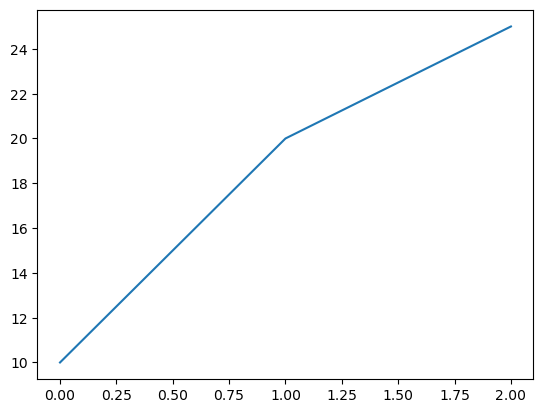
with MTH5() as m:
    m.open_mth5("example.mth5", mode="a")
    m.reports_group.add_report(
        report_name="example_figure",
        report_metadata={ # supplying metadata is optional
            "description": "An example figure saved as a PNG file",
        },
        filename=image_path,
    )
    print(m)
/:
====================
|- Group: Experiment
--------------------
|- Group: Reports
-----------------
--> Dataset: example_figure
.............................
--> Dataset: example_text_file
................................
|- Group: Standards
-------------------
--> Dataset: summary
......................
|- Group: Surveys
-----------------
--> Dataset: channel_summary
..............................
--> Dataset: fc_summary
.........................
--> Dataset: tf_summary
.........................
2026-01-27T21:33:57.023085-0800 | INFO | mth5.mth5 | close_mth5 | line: 899 | Flushing and closing example.mth5
Retrieve Reports
Now what if you want to get the report back. The data are stored as a binary array which is not very useful. So there is an option to write to a file in get_report that will write the array to the appropriate file. The dataset is also returned so if you don’t want to write to a file, you can inspect the dataset.
with MTH5() as m:
    m.open_mth5("example.mth5", mode="a")
    text_ds = m.reports_group.get_report("example_text_file", write=True)
    figure_ds = m.reports_group.get_report("example_figure", write=True)
2026-01-27T21:35:02.783678-0800 | INFO | mth5.groups.reports | get_report | line: 160 | Report extracted to c:\Users\peaco\OneDrive\Documents\GitHub\mth5\docs\examples\notebooks\example_report.txt
2026-01-27T21:35:02.815284-0800 | INFO | mth5.groups.reports | get_report | line: 168 | Image report extracted to c:\Users\peaco\OneDrive\Documents\GitHub\mth5\docs\examples\notebooks\example_figure.png
2026-01-27T21:35:02.821287-0800 | INFO | mth5.mth5 | close_mth5 | line: 899 | Flushing and closing example.mth5
with MTH5() as m:
    m.open_mth5("example.mth5", mode="a")
    text_ds = m.reports_group.get_report("example_text_file", write=False)
    figure_ds = m.reports_group.get_report("example_figure", write=False)

    print("Text file attributes:")
    print("\n".join([f"{k} = {v}" for k, v in text_ds.attrs.items()]))

    print("\nFigure file attributes:")
    print("\n".join([f"{k} = {v}" for k, v in figure_ds.attrs.items()]))
Text file attributes:
creation_time = 1769576723.3951802
description = A simple report as a text file
file_type = txt
filename = example_report.txt
Figure file attributes:
creation_time = 1769577496.5228226
description = An example figure saved as a PNG file
file_type = png
filename = example_figure.png
2026-01-27T21:35:08.819192-0800 | INFO | mth5.mth5 | close_mth5 | line: 899 | Flushing and closing example.mth5